Contents |
|
|
|
|
|
|
|
|
|
|
|
|
|
|
|
Threads are seemingly parallel parts of a program that access the same data. Two separate programs running in parallel are called processes. Our previous graphics programs already ran in parallel, but we didn't utilize this. One thread was the `main` program , and the other was the event handler . However, our program has no control over the `main` thread because it doesn't own one. Therefore, this thread cannot be interrupted or waited. The `main` thread naturally terminates when the `main` subroutine finishes. The program itself can continue running. Only when the last window is closed does the event handler, and thus the program, terminate. Alternatively, the program can be completely terminated at any time using `System.exit(0)` .
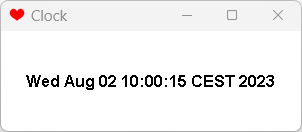
A typical application for multi-threading is animated programs. We'll first give an example where the current time ticks in a window. This is achieved by starting a thread that repaints the applet every second.
The one-second interval is generated by the method The `sleep()` method is called by the thread. This method may generate an exception (if interruption was not possible), which must be caught.
If you were to simply draw in the window, the string would be deleted each time before it could be redrawn. The user would see a flickering effect. Therefore, we use a double buffer . Essentially, an image is created, which is then drawn onto, and only then is the image copied to the screen. Java does this automatically for JPanel if `setDoubleBuffered(true)` is set. However, you then have to clear the background yourself.
import java.awt.Dimension;
import java.awt.Font;
import java.awt.FontMetrics;
import java.awt.Graphics;
import java.awt.event.WindowAdapter;
import java.awt.event.WindowEvent;
import java.util.Date;

import javax.swing.JFrame;
import javax.swing.JPanel;

/**
 * A thread that becomes active every 1000 ms.
 */
class RedrawThread extends Thread
{
    JPanel canvas;
    boolean stop = false;

    public RedrawThread (JPanel canvas)
    {
        this.canvas = canvas;
        start();
    }

    @Override
    public void run()
    {
        while (!stop)
        {
            Try // Necessary!
            {
                sleep(1000); // Wait 1 second
            }
            catch (Exception ex)
            {
            }
            canvas.repaint();
        }
    }
}

class Display extends JPanel
{
    public Display ()
    {
        setPreferredSize(new Dimension(300, 100));

        // Set panel to Double Buffered
        setDoubleBuffered(true);
    }

    @Override
    public void paint (Graphics g)
    {
        g.setFont(new Font("Dialog", Font.BOLD, 16));
        FontMetrics metrics = g.getFontMetrics();
        String s = new Date().toString();

        // Due to double buffering, we have to delete manually.
        int w = getWidth();
        int h = getHeight();
        g.clearRect(0, 0, w, h);

        // Calculate string width and height
        int ws = metrics.stringWidth(s);
        int hs = metrics.getHeight();

        // Calculate starting point for string
        int x = (w - ws) / 2;
        int y = (h - hs) / 2 + metrics.getAscent();

        g.drawString(s, x, y);
    }
}

public class Test extends JFrame
{
    RedrawThread redraw;

    public Test()
    {
        super("Clock");
        setDefaultCloseOperation(JFrame.EXIT_ON_CLOSE);
        setIconImage(new javax.swing.ImageIcon(
                getClass().getResource("hearts32.png")).getImage());

        Display display = new Display();
        add("Center", display);

        redraw = new RedrawThread(display);

        addWindowListener(new WindowAdapter()
        {
            @Override
            public void windowClosing(WindowEvent e)
            {
                redraw.stop = true;
            }
        });

        pack();
        setLocationRelativeTo(null);
        setVisible(true);
    }

    public static void main (String args[])
    {
        new Test();
    }
}
The thread should be paused when the window is closed. To achieve this, the thread is given a variable that motivates it to pause. This variable is set when the frame is closed. Directly pausing the thread would be unsafe and is not possible in Java.
FontMetrics was used again to center the time display . We also added an icon to the window.
We would like to point out that problems can occur when multiple threads access the same object or variable. The threads cannot rely on the object remaining unchanged for a specific period of time. Such problems must be addressed through synchronization .
To achieve this, a block can be synchronized with an object. Within this block, the thread then has a so-called lock on the object. No other thread can enter the block until the object is released. Such a block looks like this.
synchronized ( object )
 statement block
Alternatively, you can equip an entire method of a class with a lock on the instance of the class whose method was called. This is done by adding the `synchronized` keyword to the method.
Example
    public synchronized int inc ()
    {
        int m=n;
        n++;
        return m;
    }
This example increments n and returns the old value. If n is a variable of object A, then A.inc() can only be active in one thread at a time. This prevents the value of n in A from becoming inconsistent. It is also always guaranteed that n++ will not be interrupted. However, the crucial point here is that the retrieval of the old value and the incrementing of the value are not interrupted by accesses from other threads.
Another problem is race conditions . You never know where the other thread is or whether it has just started. You might want to interrupt it, but it hasn't even started yet. This is also why the thread in the example above isn't simply interrupted, but instead a variable called ` stop` is set.
However, you can use `wait` and `notify` to wait for the thread to complete its work. Both methods must be called within a `synchronized` block. This makes the objects the thread's owner. Additionally, `wait` can throw an exception, which should be caught.
The `wait` and `notify` mechanisms are designed for synchronized communication between threads. In the following example, we have a producer and a consumer . The producer simply generates the numbers 1 through 10. However, it could also be input from an external device that needs to be passed on. Once it has generated a number, it passes it to the consumer by modifying a variable there. The consumer then simply outputs the number.
For synchronization to work, the consumer waits with "wait" for the producer , who sends a "notify" after production . Once the number has been processed, the consumer waits again with "wait" and notifies the producer.
class Producer implements Runnable
{
    Consumer;
    boolean ended;

    public producer (consumer consumer)
    {
        this.consumer = consumer;
        ended = false;
        new Thread(this).start();
    }

    @Override
    public void run()
    {
        for (int i = 0; i < 10; i++)
        {
            consumer.current = i;
            System.out.println(i + " produced");
            synchronized (consumer)
            {
                consumer.notify();
            }
            synchronized (this)
            {
                try
                {
                    wait();
                }
                catch (InterruptedException e)
                {
                    e.printStackTrace();
                }
            }
        }

        ended = true;
    }
}

class Consumer implements Runnable
{
    int current;
    Producer;

    public void setProducer (Producer producer)
    {
        this.producer = producer;
        new Thread(this).start();
    }

    @Override
    public void run()
    {
        while (!producer.ended)
        {
            synchronized (this)
            {
                try
                {
                    wait();
                }
                catch (InterruptedException e)
                {
                    e.printStackTrace();
                }
            }
            System.out.println(current + " received");
            synchronized (producer)
            {
                producer.notify();
            }
        }
    }

}

public class Test
{
    public static void main (String args[])
    {
        Consumer consumer = new Consumer();
        Producer producer = new Producer(consumer);
        consumer.setProducer(producer);
    }
}
The program outputs the following result.
0 produced
0 received
1 produced
1 received
2 produced
2 Received
3 produced
3 received
4 produced
4 received
5 produced
5 received
6 produced
6 received
7 produced
7 received
8 produced
8 received
9 produced
9 received
If you want to run multiple threads in parallel, executors are a good option. The following program demonstrates how to create and run two threads and wait for them to finish.
import java.util.concurrent.Executors;
import java.util.concurrent.ThreadPoolExecutor;
import java.util.concurrent.TimeUnit;

class Task implements Runnable
{

    @Override
    public void run()
    {
        for (int i = 0; i < 10; i++)
            System.out.println(i);
    }

}

public class Test
{
    public static void main (String args[])
    {
        System.out.println("Main started");

        ThreadPoolExecutor executor = //
                (ThreadPoolExecutor) Executors.newFixedThreadPool(2);

        for (int i = 0; i < 2; i++)
        {
            Task t = new Task();
            executor.execute(t);
        }
        executor.shutdown();

        try
        {
            executor.awaitTermination(10, TimeUnit.SECONDS);
        }
        catch (InterruptedException e)
        {
            e.printStackTrace();
        }

        System.out.println("Main ended");
    }
}
The output is as expected.
Main started
0
1
2
3
4
5
6
7
0
1
2
3
4
5
6
7
8
9
8
9
Main end
The threads appear to be working in parallel, since the numbers are being output sequentially. Note that ` System.out.println` is synchronized. Therefore, nothing can go wrong even when outputting longer strings. The main program will only terminate once all numbers have been output.
In this section, we will write a program where a ball bounces within the canvas area. The approach is to run a separate thread that recalculates the ball's position and redraws the ball.
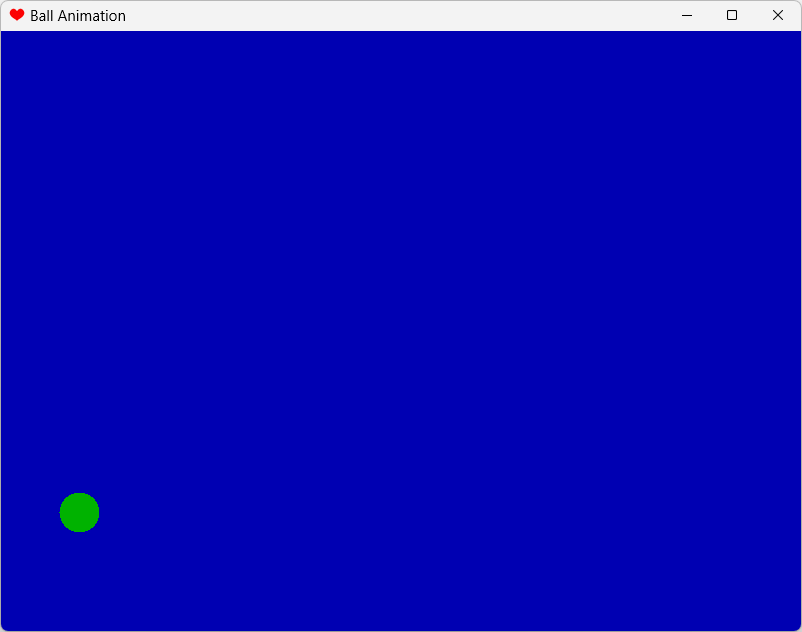
A few words of explanation are necessary, as this is a very complex program.
For the rendering, we again use a JPanel with a double buffer . We could also prevent the background from being redrawn by overriding the `update(Graphics g)` method and simply calling `paint(g)` ourselves . In this example, you'll hardly see a difference on a fast computer, since only the ball is being overdrawn by the background. But the double buffer adds very little processing time.
Instead of directly creating a thread , it makes more sense to implement the Runnable interface . It's easier to use; the thread starts when the window receives focus.
This program should stop the animation when the window loses focus. The simplest and safest way is to stop the thread . When focus returns, we start a new thread that resumes the animation from the same point. There are also methods in `run()` that allow you to wait for an event that you have to create yourself.
import java.awt.Color;
import java.awt.Dimension;
import java.awt.Graphics;
import java.awt.event.FocusEvent;
import java.awt.event.FocusListener;
import java.awt.event.WindowAdapter;
import java.awt.event.WindowEvent;

import javax.swing.JFrame;
import javax.swing.JPanel;

class BallCanvas extends JPanel implements Runnable
{
    boolean stop;

    int x, y, dx, dy; // Ball coordinates seen from the bottom left
    int w, h; // Height and width of the applet
    int s; // ball size

    /**
     * Initialize
     */
    public BallCanvas ()
    {
        setPreferredSize(new Dimension(800, 600));
        x = 400;
        y = 10;
        dx = 2;
        dy = 30;
        s = 20;

        setDoubleBuffered(true);
    }

    /**
     Draw the background. Draw the ball in the correct position.
     */
    @Override
    public void paint (Graphics g)
    {
        w = getWidth();
        h = getHeight();
        g.setColor(Color.blue.darker());
        g.fillRect(0, 0, w, h);
        g.setColor(Color.green.darker());
        g.fillOval(x - s, h - y - s, 2 * s, 2 * s);
    }

    /**
     * Loop of the thread. The ball bounces with gravity and loses momentum.
     * Each impact absorbs energy until it just rolls.
     */
    @Override
    public void run()
    {
        while (!stop)
        {
            // Move the ball:
            if (x + dx - s <= 0)
                dx = -dx;
            if (x + dx + s >= w)
                dx = -dx;
            if (y + dy - s <= 0)
            {
                dy = -dy - 1;
                y = s;
            }
            else
                dy--;
            x += dx;
            y += dy;

            repaint();
            // To delay something
            try
            {
                Thread.sleep(10);
            }
            catch (Exception e)
            {
            }
        }
    }

}

public class Test extends JFrame implements FocusListener
{
    BallCanvas ball;
    boolean stop;

    public Test()
    {
        super("Ball Animation");
        setDefaultCloseOperation(JFrame.EXIT_ON_CLOSE);
        setIconImage(new javax.swing.ImageIcon(
                getClass().getResource("hearts32.png")).getImage());

        ball = new BallCanvas();
        add("Center", ball);

        addWindowListener(new WindowAdapter()
        {
            @Override
            public void windowClosing(WindowEvent e)
            {
                ball.stop = true;
            }
        });

        addFocusListener(this);

        pack();
        setLocationRelativeTo(null);
        setVisible(true);
    }

    public static void main (String args[])
    {
        new Test();
    }

    // Routines for FocusListener

    @Override
    public void focusGained (FocusEvent e)
    {
        ball.stop = false;
        new Thread(ball).start();

    }

    @Override
    public void focusLost(FocusEvent e)
    {
        ball.stop = true;
    }

}
We now want to enhance our bouncing ball by loading the background from a file and rendering the ball itself. Loading the file is easy if the file path is known.
BufferedImage img = null;
try
    {
        img = ImageIO.read(new File("file.jpg"));
    } catch (IOException e) {
}
Java programs are often packaged in JAR files, including the images, which are then called resources . The necessary code is included in the example.

The ball in the example above is a partially transparent image, rendered pixel by pixel . This is achieved using the `MemoryImageSource` class from the `java.awt.image` package . An object of this class can be passed to `createImage` to create the image (in this case, the image "Ball"). A `MemoryImageSource` is created from individual pixels stored in an `int` array. Each pixel consists of four bytes that specify the transparency and the intensity of the three primary colors (RGB) for the pixel (each ranging from 0 to 255, where 255 represents "not transparent"). The best way to assemble the pixel is using shift operations and a bitwise OR (`|`).
It's also interesting to see how the color components for the pixels are determined. First, the two-dimensional top-down coordinate (i,j) of the sphere is converted into the three-dimensional surface coordinate (x,y,z). This is then multiplied by (1,1,1) using a scalar multiplication function. The resulting value, correctly scaled, serves as the brightness at that point. This simple mathematical trick convincingly simulates light coming from the upper right front.
Details can be found in the following listing for the createBall() function.
import java.awt.Dimension;
import java.awt.Graphics;
import java.awt.Image;
import java.awt.event.FocusEvent;
import java.awt.event.FocusListener;
import java.awt.event.WindowAdapter;
import java.awt.event.WindowEvent;
import java.awt.image.ColorModel;
import java.awt.image.MemoryImageSource;

import javax.imageio.ImageIO;
import javax.swing.JFrame;
import javax.swing.JPanel;

class BallCanvas extends JPanel implements Runnable
{
    boolean stop;

    Image I; // Buffer
    Image Back; // Background
    Image Ball; // Ball
    Graphics G; // Graphics for the buffer

    int x, y, dx, dy; // Ball coordinates seen from the bottom left
    int w, h; // Height and width of the applet
    final int s; // Ball size as a constant

    public BallCanvas ()
    {
        try
        {
            Back = ImageIO.read(
                    getClass().getClassLoader().getResource("tile.png"));
        }
        catch (Exception e)
        {
        }

        w = Back.getWidth(this);
        h = Back.getHeight(this);
        setPreferredSize(new Dimension(w, h));

        x = w / 2;
        s = h / 5;
        y = s;
        dx = 2;
        dy = (int) Math.sqrt(2 * h);

        Ball = createBall(s);

        setDoubleBuffered(true);
    }

    /**
     * Create a rendered ball.
     *
     * @param S size
     * @return
     */
    Image createBall (int S)
    {
        int i, j, k;
        int P[] = new int[4 * (S + 1) * (S + 1)]; // for the pixels
        k = 0;
        double red, green, blue, light, x, y, z;

        for (i = -S; i <= S; i++)
            for (j = -S; j <= S; j++)
            { // Calculate x,y,z coordinates on the ball surface
                x = -(double) i / S;
                y = (double) j / S;
                z = 1 - x * x - y * y;

                if (z <= 0)
                    P[k] = 0;
                // Outside the ball! Transparent dot.
                else
                {
                    z = Math.sqrt(z);
                    light = (x + y + z) / Math.sqrt(3) * 0.4;
                    // Vector product with 1,1,1
                    red = 0.6 * (1 + light); // Red content
                    green = 0.2 * (1 + light); // Green share
                    blue = 0; // Blue component
                    P[k] = 255 << 24 | // not transparent!
                            (int) (red * 255) << 16 |
                            (int) (green * 255) << 8 |
                            (int) (blue * 255);
                    // P[k] consists of four bytes of the
                    // Colors and transparency together
                }
                k++;
            }
        return createImage( // Create the image
                new MemoryImageSource(2 * S + 1, 2 * S + 1,
                        ColorModel.getRGBdefault(),
                        P, 0, 2 * S + 1));
    }

    /**
     Draw the background. Draw the ball in the correct position.
     */
    @Override
    public void paint (Graphics g)
    {
        g.drawImage(Back, 0, 0, this);
        g.drawImage(Ball, x - s, h - y - s, this);
    }

    /**
     * Loop of the thread. The ball bounces with gravity and loses momentum.
     * Each impact absorbs energy until it just rolls.
     */
    @Override
    public void run()
    {
        while (!stop)
        {
            // Move the ball:
            if (x + dx - s <= 0)
                dx = -dx;
            if (x + dx + s >= w)
                dx = -dx;
            if (y + dy - s <= 0)
            {
                dy = -dy - 1;
                y = s;
            }
            else
                dy--;
            x += dx;
            y += dy;

            repaint();
            // To delay something
            try
            {
                Thread.sleep(10);
            }
            catch (Exception e)
            {
            }
        }
    }

}

public class Test extends JFrame implements FocusListener
{
    BallCanvas ball;
    boolean stop;

    public Test()
    {
        super("Ball Animation");
        setDefaultCloseOperation(JFrame.EXIT_ON_CLOSE);
        setIconImage(new javax.swing.ImageIcon(
                getClass().getResource("hearts32.png")).getImage());

        ball = new BallCanvas();
        add("Center", ball);

        addWindowListener(new WindowAdapter()
        {
            @Override
            public void windowClosing(WindowEvent e)
            {
                ball.stop = true;
            }
        });

        addFocusListener(this);

        pack();
        setLocationRelativeTo(null);
        setVisible(true);
    }

    public static void main (String args[])
    {
        new Test();
    }

    // Routines for FocusListener

    @Override
    public void focusGained (FocusEvent e)
    {
        ball.stop = false;
        new Thread(ball).start();

    }

    @Override
    public void focusLost(FocusEvent e)
    {
        ball.stop = true;
    }

}
Of course, it is also possible to decompose an image into RGB values.
    static Image turn (Image I, Component c)
    {
        int W=I.getWidth(c),H=I.getHeight(c);
        int P[]=new int [W*H];
        PixelGrabber pg=new PixelGrabber(I,0,0,W,H,P,0,W);
        try { pg.grabPixels(); } catch (Exception e) { return I; }
        int Q[]=new int[W*H];
        int i,j;
        for (i=0; i<H; i++)
            for (j=0; j<W; j++)
            {
                Q[i*W+j]=P[i*W+j];
            }
        return Toolkit.getDefaultToolkit().createImage(
            new MemoryImageSource(H,W,ColorModel.getRGBdefault(),
                            Q,0,H));
    }
Since modern processors always have multiple threads, it makes sense to speed up the merge sort from this example using threads. To do this, we split the original pile into two parts and sort both in separate threads, without creating any additional threads. This speeds up the algorithm on the current computer used from 10 seconds to 6 seconds.
However, the implementation is considerably more complex. We need a class that implements Runnable and contains all the information about the parts to be sorted.
import java.util.concurrent.Executors;
import java.util.concurrent.ThreadPoolExecutor;
import java.util.concurrent.TimeUnit;

/**
 * Helper class that can create a thread to sort a portion of the work.
 *
 * @param <Type>
 */
class SortRunner<Type extends Comparable<Type>> implements Runnable
{
    ThreadedMergeSorter<Type> sorter;
    Type[] array;

    int start, end;

    /**
     * We remember all parameters, since run() has no parameters
     *
     * @param sorter
     * @param array
     * @param start
     * @param end
     */
    public SortRunner (ThreadedMergeSorter<Type> sorter, Type[] array,
            int start,
            int end)
    {
        this.sorter = sorter;
        this.array = array;
        this.start = start;
        this.end = end;
    }

    @Override
    public void run()
    {
        sorter.sort(array, start, end);
    }
}

/**
 * Sorts from 10000 elements onwards by sorting two halves with threads.
 *
 * @param <Type>
 */
class ThreadedMergeSorter<Type extends Comparable<Type>>
{
    Type[] work;

    @SuppressWarnings("unchecked")
    public void sort (Type[] array)
    {
        if (array.length < 2)
            return;
        work = (Type[]) java.lang.reflect.Array.newInstance(array[0].getClass(),
                array.length);
        sortthreaded(array, 0, array.length - 1);
    }

    void sortthreaded (Type[] array, int start, int end)
    {
        if (end - start < 10000) // Array is small
        {
            sort(array, start, end);
        }
        else // Array is large
        {
            ThreadPoolExecutor executor = //
                    (ThreadPoolExecutor) Executors.newFixedThreadPool(2);

            int half = end / 2;

            SortRunner<Type> runner1 = new SortRunner<Type>(this, array, 0,
                    half);
            executor.execute(runner1);
            SortRunner<Type> runner2 = new SortRunner<Type>(this, array,
                    half + 1, end);
            executor.execute(runner2);
            executor.shutdown();

            try
            {
                executor.awaitTermination(100, TimeUnit.SECONDS);
            }
            catch (InterruptedException e)
            {
                e.printStackTrace();
            }

            merge(array, 0, half, half + 1, end);
        }
    }

    void sort (Type[] array, int start, int end)
    {
        // System.out.println(start + "-" + end);
        int half = (start + end) / 2;
        if (half - start > 0)
            sort(array, start, half);
        if (end - (half + 1) > 0)
            sort(array, half + 1, end);
        merge(array, start, half, half + 1, end);
    }

    void merge (Type[] array, int start1, int end1, int start2, int end2)
    {
        int aim = start1;
        int start = start1;
        while (true)
        {
            if (array[start1].compareTo(array[start2]) < 0)
            {
                work[aim++] = array[start1++];
                if (start1 > end1)
                {
                    while (start2 <= end2)
                        work[aim++] = array[start2++];
                    break;
                }
            }
            else
            {
                work[aim++] = array[start2++];
                if (start2 > end2)
                {
                    while (start1 <= end1)
                        work[aim++] = array[start1++];
                    break;
                }
            }
        }
        System.arraycopy(work, start, array, start, aim - start);
    }
}

public class Test
{
    public static void main (String args[]) throws Exception
    {
        int N = 10000000;
        String[] array = new String[N];
        for (int i = 0; i < N; i++)
            array[i] = "String " + Math.random();

        ThreadedMergeSorter<String> sorter = new ThreadedMergeSorter<String>();

        long time = System.currentTimeMillis();
        sorter.sort(array);
        System.out.println((System.currentTimeMillis() - time) + " msec");

        for (int i = 0; i < N - 1; i++)
            if (array[i].compareTo(array[i + 1]) > 0)
                throw new Exception("Error in Sort");
    }
}